 Ultimate Productivity
Organize everything.
Actually get it done.
Tasks, calendar, notes, goals, habits and focus — one calm, keyboard-friendly workspace that opens instantly and works offline. Capture in a keystroke, plan your week, track your time, and stay in flow on Windows, Android and the web.
New sign-ups are reviewed by an admin before access is granted.
Add tasks at the speed of thought
Type it the way you'd say it. Natural-language dates, #tags, !priority, and ~projects are parsed instantly — no clicking through menus.
- Nested subtasks, checklists & drag-to-reorder
- Recurring rules — even “every Mon/Wed/Fri until…”
- Ctrl+Alt+Space quick-add from anywhere in Windows
- Clip from the browser, share from Android, or email it in
See your week, drag it into place
Smart lists surface what's due. Block time by dragging tasks onto the week, let auto-schedule fill the gaps, and stretch longer work across a timeline.
- Calendar, week planner, agenda & Eisenhower matrix
- Timeline (Gantt) and spreadsheet-style table views
- Subscribe to any calendar — and publish yours
Build momentum and better habits
Start a Pomodoro and your devices go quiet. The session is logged against the task you're working on, and the habit tracker turns intentions into streaks.
- Do-not-disturb that follows you across devices
- Habit streaks with numeric goals & reminders
- “What's next” recommends your top task
Know where your time goes — and if it's working
Set objectives with key results that move as your projects get done. Track time on any task with one click, then turn billable hours into an invoice.
- OKRs with automatic, project-driven progress
- Task timers, manual entries & CSV export
- Hourly rates per project and printable invoices
An assistant that knows your work
Ask what to tackle today and get a plan built from your real tasks and goals. Brainstorm freely, or paste meeting notes and get decisions and action items — then add them as tasks in one click.
- Planning, brainstorming & meeting-notes modes
- Claude, OpenAI, Gemini or any compatible model
- Infinite whiteboard for sketches and maps
Keyboard-first. Mouse optional.
Fly through your lists without lifting your hands: move, complete, reschedule, prioritise and jump anywhere in a keystroke. Every change shows an Undo, so going fast is safe.
- Shortcuts on every screen — press ? for the list
- Ctrl K to jump anywhere, run commands or find a task
- Undo for every change — no “are you sure?” dialogs
Reports that tell you something
See this week against last week, where your time actually went, which goals are on pace and which habits are sticking — computed on your device, instantly.
- 7, 30, 90-day and 12-month views with trends
- Time and completions by project, goal pace
- Habit heatmaps, your best day and peak hour
Some notes are for your eyes only
The Private vault encrypts notes on your device before they're saved. The server only ever stores scrambled text — not even whoever runs it can read them. Sign in with a passkey from Bitwarden, 1Password, your phone or Windows Hello.
- End-to-end encrypted vault — AES-256, unlocked by your passphrase or a passkey
- Passwordless sign-in with passkeys
- Security activity log for every sign-in and change
One workspace on every screen
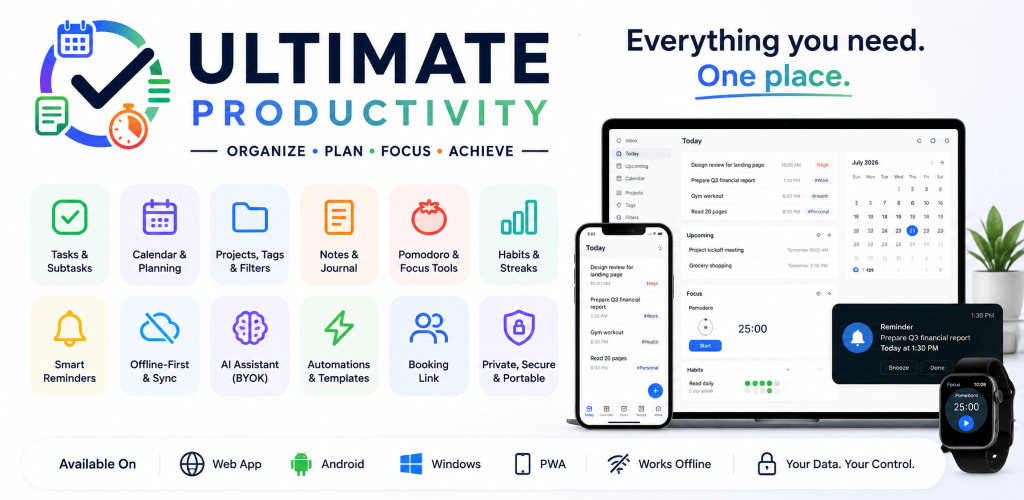
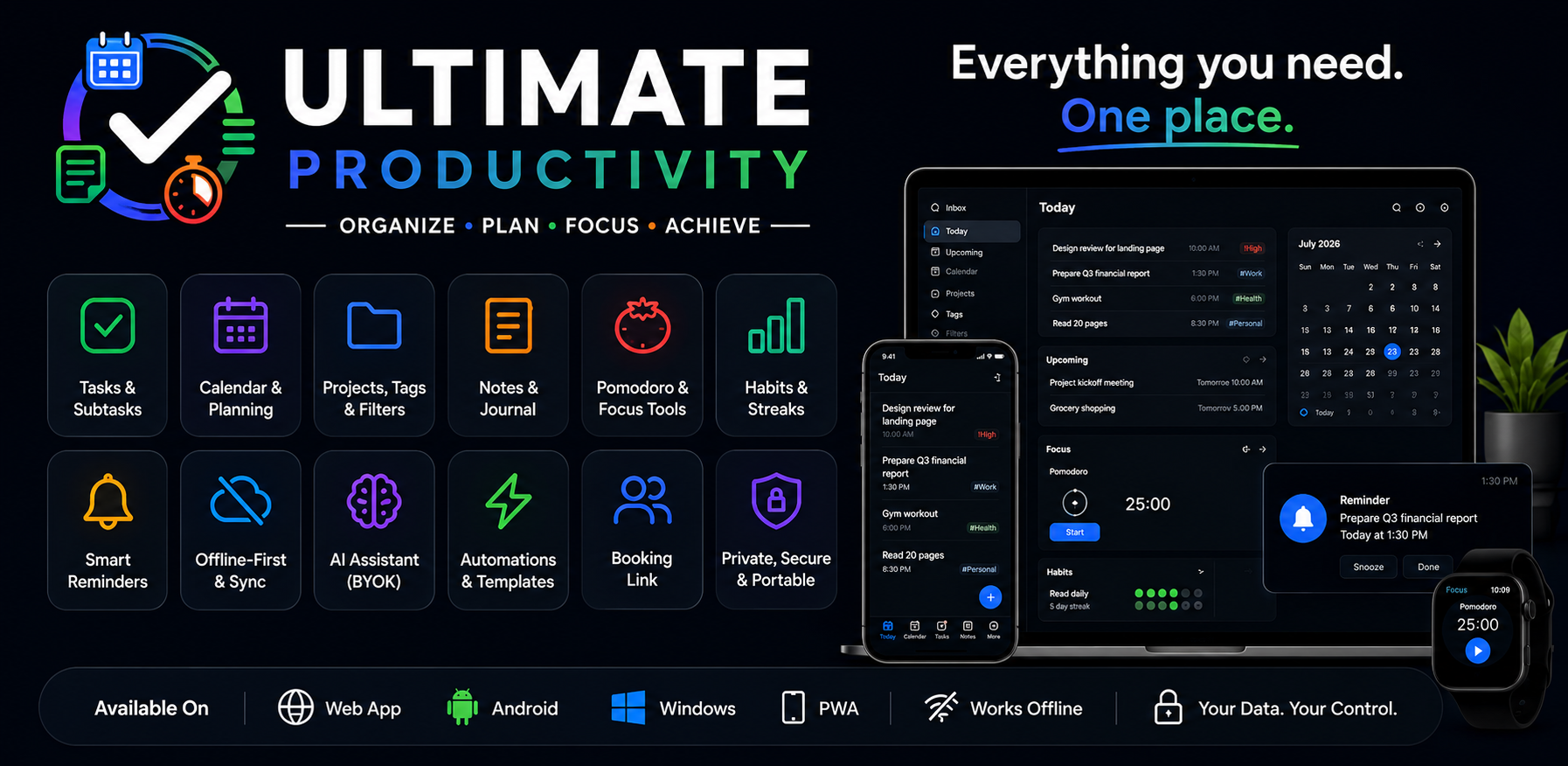
Native where it matters, instant everywhere. Your data is stored on each device and kept in sync in real time.
Windows
Lives in the tray, starts with Windows — even before you're online — native reminders, global quick-add and silent auto-updates.
Android
On-device reminders, home-screen widgets, voice capture, share-to-app — and drag-and-drop by touch.
Web & PWA
Works in any modern browser — install it and it opens instantly, even with no connection.
Everything in one place
No more juggling five apps. Tasks, planning, goals, knowledge and focus — together.
Instant, everywhere
Your data lives on your device first — every click is instant, everything works offline, and changes sync to your other devices in about a second.
Tasks that flow
Natural-language quick-add — “Report tomorrow 5pm #work !high” — nested subtasks, checklists, priorities, tags, recurring rules and bulk actions.
Plan your time
Calendar, week planner with time-blocking, auto-scheduling, a drag-to-plan timeline (Gantt), and a spreadsheet-style table view.
Reminders that reach you
Native notifications on Windows and Android, scheduled on the device so they fire on time — even offline. Plus web push and email.
Goals & OKRs
Objectives with measurable key results — updated by hand or driven automatically by a project’s progress — with an on-pace badge.
Time tracking & invoices
One-click task timers, manual entries, per-project totals, hourly rates and a printable invoice. Focus sessions are tracked for you.
Do not disturb
Silence reminders on every device at once — for an hour, until morning, or automatically while a Pomodoro runs. Nothing is lost; it arrives after.
Notes, journal & whiteboard
A Markdown editor with wiki-links and backlinks, version history, a daily journal, and an infinite whiteboard for sketching ideas.
AI assistant
Plan with an assistant that sees your tasks and goals, brainstorm, or turn meeting notes into decisions and action items. Bring your own key.
Capture from anywhere
Web clipper, share-to-app on Android, email-to-inbox, voice dictation and on-device text recognition from screenshots.
Connects to your tools
Signed webhooks for Zapier, Make and n8n, plus calendar feeds in and out. Export everything as JSON any time.
Keyboard-first, undo anything
Every list, view and tool has shortcuts — press ? to see them. Changed something by mistake? Every change offers Undo.
Reports that mean something
Trends against the previous period, time and completions by project, goal pace, habit heatmaps and your most productive hours.
Move in easily
Bring your tasks and notes from Todoist, TickTick or an Obsidian vault — projects, subtasks, repeats and history included.
Calm layouts
Full, Minimal or Focus — an ADHD-friendly layout with fewer choices, bigger targets, quieter colours and no motion.
Private by design
An end-to-end encrypted vault for your most private notes, passkey sign-in, a security activity log and a self-hosted server — no ads, no tracking.
Own your productivity.
Private by default. Instant by design. Yours forever.
Get started free